
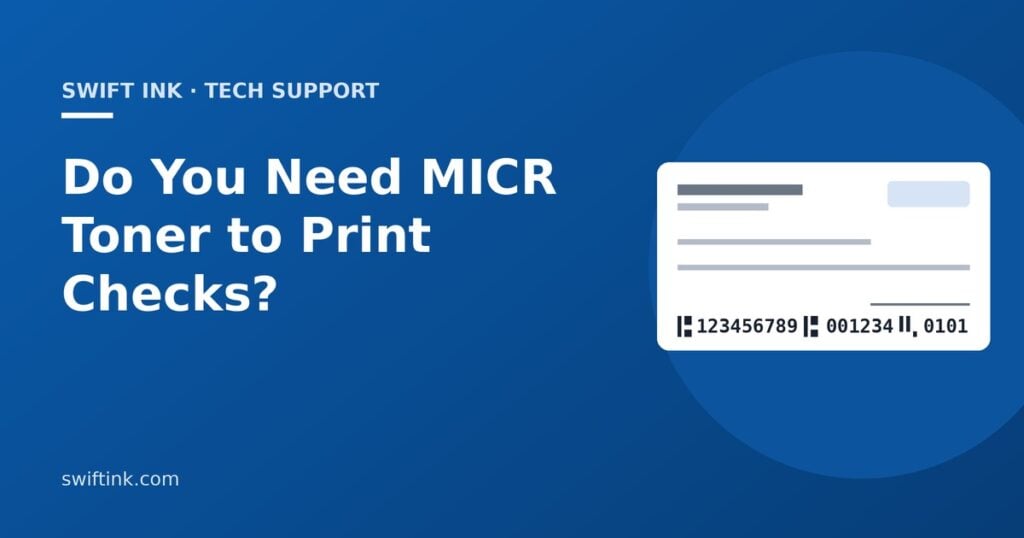
You need MICR toner only when you print the MICR line yourself: the row of routing, account and check numbers along the bottom of a check. Banking standards, the Federal Reserve and most bank spec sheets still say that line should be printed in magnetic ink. If your checks arrive with the MICR line already printed, any printer and regular toner or ink is fine.
Quick answer
- Printing on blank check stock? Print the MICR line with MICR toner. The Federal Reserve says that if you print that line yourself, “you should print the MICR line in magnetic ink.”
- Using checks with the MICR line pre-printed? You don’t need MICR toner. The date, payee and amount can go on in regular toner or ink.
- Is it still required in the Check 21 era? The standards haven’t changed. Many banks can read a non-magnetic line from an image, but rejects can mean delays or fees, and some banks require MICR toner. Ask yours.
- What you need: a laser printer with a MICR cartridge available, blank check stock with security features, check software with the E-13B font, and a test run your bank signs off on.
What is MICR?
MICR stands for magnetic ink character recognition. It’s the line of numbers and odd-looking symbols along the bottom edge of every check.
The characters use a font called E-13B. It has the digits 0 to 9 plus four special symbols that mark where each field starts and ends. The toner or ink contains magnetic particles, usually iron oxide. When a check runs through a bank’s reader-sorter, a read head magnetizes the characters and reads the signal each shape gives off.
The rules come from ASC X9, the ANSI-accredited banking standards group: X9.100-20 (formerly X9.27) for the characters and X9.100-160 (formerly X9.13) for placement. Your check software and your bank’s spec sheet put them into practice.
The MICR line, field by field
Here’s where each piece of information sits on a typical personal check. Business checks use the same parts in a slightly different order.
- 1Check number (top right). Banks such as PNC require it to match the number in the MICR line.
- 2Routing number (transit field). Nine digits that identify your bank, set between two transit symbols.
- 3Account number (on-us field). Your account at that bank, followed by the on-us symbol.
- 4Check number in the MICR line. On personal checks it usually comes after the account number. On business checks it usually moves to the far left, in a field called auxiliary on-us.
- 5Amount field. Leave it blank. The bank that takes the deposit can encode the amount here later.
- 6Clear band. The bottom 5/8 inch of the check. Nothing but MICR characters should print here: no signature line, logo or border.
Is MICR toner still required for checks?
The standards and most banks still say yes. In practice, plenty of checks without magnetic ink still clear. Here’s what each source says.
- The Federal Reserve. In its Regulation CC and Check 21 FAQ, the Fed says industry standards “long have required the MICR line to be printed in magnetic ink.” Only the MICR line needs it. The date, payee and amount can be in regular ink.
- Federal rules. Regulation CC (12 CFR 229.2) defines the MICR line as numbers “printed near the bottom of a check in magnetic ink.” An item that isn’t printed or encoded in magnetic ink with the paying bank’s routing number can be treated as a “noncash item” instead of a regular check.
- Bank spec sheets. Montecito Bank & Trust says “all E-13B characters must be printed in magnetic ink” and that toner cartridges must be labeled MICR. PNC’s check spec says the numbers and symbols “must be printed in magnetic ink,” and BOK Financial’s says to use MICR toner when printing checks.
- Check 21 didn’t change it. The Check 21 Act took effect October 28, 2004. It lets banks swap paper checks for images. The magnetic ink rule for original checks comes from industry standards, not from Check 21, and it’s still there.
So why do non-MICR checks often go through? Mobile and ATM deposits are read from a picture with OCR software, not a magnetic reader. Orbograph, which sells check-reading software, wrote in 2025 that “many checks are not printed with the magnetic ink” and still get processed.
The catch: when a check does hit a reader-sorter and the line can’t be read, it gets kicked out for manual repair. TROY Group, a MICR printer maker, says banks may charge business customers $0.50 to $6.00 per item that needs repair or has poor MICR print. Your payment can also be delayed.
Bottom line: If you print the MICR line yourself, use MICR toner. Then ask your bank two questions: “Do you require magnetic ink on checks I print?” and “Will you test a few samples?” Rules and fees vary from bank to bank.
Do you need MICR toner? A quick decision path
-
1Does your check stock already have the MICR line printed on it?
- Yes
- You don’t need MICR toner. Pre-printed checks, including QuickBooks checks, only need the date, payee and amount. Any printer will do.
- No
- Go to question 2.
-
2Will you print the routing and account numbers yourself, on blank check stock?
- Yes
- Go to question 3.
- No
- Order pre-printed checks instead. That’s the simplest route if you write only a few checks a month.
-
3Does your bank’s spec sheet call for magnetic ink or MICR toner?
- Yes, or not sure
- Use MICR toner and send test checks to your bank before your first real run.
- No
- Your checks may clear without it, but they’re outside the standard. If a few get rejected, repair fees and delays can cost more than the toner.
What you need to print your own checks
Printing checks on blank stock takes five things.
- Laser printerOne that a MICR toner cartridge is made for. Check before you buy.
- MICR tonerA cartridge labeled MICR, used for every check run.
- Blank check stockSecurity paper with the features listed below. PNC requires 24 lb MICR bond.
- Check softwarePrints the whole check, including the MICR line in the E-13B font.
- Bank testA few sample checks your bank runs through its equipment.
About QuickBooks: Intuit says QuickBooks Online “currently does not directly support printing checks on a blank check stock” (QuickBooks support page, updated August 2026). For blank stock it points to add-ons such as VersaCheck Gold, PrintBoss and MultiCHAX. With pre-printed QuickBooks checks, you don’t need MICR toner at all.
How to print your first check, step by step
Work through these in order. The free steps catch problems before you spend money.
-
Call your bank Free
Ask for its MICR or check printing spec sheet. Ask whether it requires MICR toner, whether it will test sample checks, and whether it offers Positive Pay. PNC, for example, asks for at least 20 test documents.
-
Confirm your numbers Free
Copy the routing and account numbers from a current check or your bank’s paperwork. Ask which routing number to use for paper checks, since some banks list a different one for wires.
-
Set up the software and test on plain paper $
Enter your bank and account details, pick a check layout, and print a test on plain paper with your regular cartridge. Hold the test behind a real check against a window and see if the fields line up. Intuit lists VersaCheck Gold at $89.99 (QuickBooks support page, August 2026).
-
Buy blank check stock $
Pick a layout your software supports. Montecito Bank & Trust recommends top- or side-stub layouts so the MICR line isn’t torn when the check is detached. As one example, Sage lists 400 blank laser checks for $103.95 (checks.sage.com, October 2026).
-
Install a MICR toner cartridge and print samples $$
Our MICR cartridges run $64.99 to $169.99 on staging.swiftink.com (October 14, 2026, sale prices). Print a handful of sample checks marked VOID, check them against the quality list below, and send them to your bank for testing.
-
Consider a dedicated MICR printer $$$
Only worth it for high volume, or if no MICR cartridge is made for your printer. TROY sells MICR printers built on HP LaserJets, such as the TROY 4001dn, listed at $849 on sale (shop.troygroup.com, October 2026). Some models come with locking trays to secure check stock.
MICR line placement basics
Your check software places the MICR line for you. Know the basics so you can spot a bad layout. Exact numbers come from X9.100-160 and your bank’s spec sheet.
- Keep the clear band clear. The bottom 5/8 inch of the check is for MICR characters only. Montecito Bank & Trust’s spec sheet bans signature lines, facsimile signatures and any other printing there.
- Leave room on the left. The same spec sheet asks for at least 1/4 inch between the last character on the left and the edge of the check.
- Don’t scale the page. MICR characters have a fixed size and spacing. In the print dialog, print at actual size (100%). “Fit to page” or “shrink to fit” can move or squeeze the line.
- Match the check numbers. The number in the top right corner should match the one in the MICR line.
- Use the right size. BOK Financial accepts checks 6 to 8.75 inches long and 2.75 to 3.625 inches tall.
How to test MICR print quality
A MICR line can look fine and still read poorly. Check these before you mail anything.
- Use a MICR gauge. A clear plastic overlay, sold by check supply companies (TROY makes one called a MICR document template), shows where each character and field should sit.
- Look closely at the characters. They should be solid black with sharp edges. Watch for gaps, faded strokes, gray haze or toner specks in the clear band.
- Rub test. Rub the MICR line with a finger. If toner smears, the fuser isn’t bonding it well. Our guide to laser printer smudging covers the fixes.
- Watch for lines. A streak through the MICR line can make a character unreadable. See our guide to laser printer lines and streaks.
- Get a bank test. Only a reader-sorter tells you the magnetic signal is strong enough. PNC requires its test documents to survive 15 passes through its equipment.
Test again any time you change printers, toner brand, check stock or software.
Check security and fraud tips
Blank check stock plus MICR toner plus your account number is everything a thief needs to print your checks. Treat the supplies like cash.
- Buy stock with security features. Look for a color pantograph background that’s hard to copy, microprinting, fugitive ink, a warning backer, and chemical-reactive paper. Sage’s blank laser checks, for example, list all five.
- Lock it up. Store blank stock, MICR cartridges and printed checks in a locked drawer or cabinet. Shred spoiled checks.
- Don’t count on the toner. MICR toner is for machine reading, not fraud protection. TROY, which sells it, writes that standard “MICR ink will not protect against check washing.” Some security toners add a dye that shows tampering.
- Ask about Positive Pay. Many banks offer it to business accounts. You send the bank a list of the checks you issue, and it flags any check that doesn’t match before paying it.
MICR toner vs regular toner
MICR toner looks much like regular toner on the page. The difference is the magnetic particles mixed in. Regular toner gives no magnetic signal, so a MICR line printed with it can’t pass a magnetic read.
You can print everyday documents with a MICR cartridge. It just costs more per page. Here’s one example using two of our cartridges for the same HP printers.
One option is to keep two cartridges: regular for daily work, MICR for check runs. If you print little besides checks, leaving the MICR cartridge in is simpler.
Can you print checks with an inkjet printer?
Yes, if the checks are pre-printed. Per the Federal Reserve, everything except the MICR line can be in regular ink, so any inkjet can fill in pre-printed checks.
Printing the MICR line itself on an inkjet takes magnetic ink. It exists: VersaCheck, a check software maker, sells MICR inkjet cartridges for some HP DeskJet and ENVY models (Walmart.com listing, October 2026). Laser is the more common route, and many bank spec sheets mention only MICR toner, so ask your bank first. Swift Ink doesn’t sell MICR inkjet cartridges.
MICR toner cartridges we carry
We carry 14 MICR toner cartridges, all for HP LaserJets. The newest fit is the compatible MICR toner replacing the HP 26X (CF226X), for the LaserJet Pro M402 and MFP M426 series. You can also see all our MICR toner in one list.
See all 14 MICR toner cartridges and the printers they fit
| Replaces HP cartridge | Type | Fits these HP LaserJets | Swift Ink price |
|---|---|---|---|
| 26X (CF226X) | Compatible | Pro M402 series, Pro MFP M426 series | $89.99 |
| 81A (CF281A) | Compatible | Enterprise M604, M605, M606, MFP M630 | $109.99 |
| 55A (CE255A) | Remanufactured | P3015, Pro MFP M521, Enterprise 500 MFP M525 | $109.99 |
| 90A (CE390A) | Remanufactured | Enterprise 600 M601, M602, M603; M4555 MFP | $119.99 |
| 78A (CE278A) | Remanufactured | Pro P1566, P1606dn, M1536dnf | $64.99 |
| 64A (CC364A) | Compatible | P4014, P4015, P4515 | $129.99 |
| 42A (Q5942A) | Remanufactured | 4240, 4250, 4350 | $104.99 |
| 42X (Q5942X) | Remanufactured | 4250, 4350 | $139.99 |
| 11X (Q6511X) | Remanufactured | 2410, 2420, 2430 | $109.99 |
| 12A (Q2612A) | Compatible | 1010 to 1022 series, 3015 to 3055, M1319f | $69.99 |
| 43X (C8543X) | Remanufactured | 9000, 9040, 9050 series | $169.99 |
| 29X (C4129X) | Compatible | 5000, 5100 series | $119.99 |
| 27X (C4127X) | Compatible | 4000, 4050 series | $99.99 |
| 09A (C3909A) | Remanufactured | 5Si, 8000 series | $129.99 |
We don’t carry MICR toner for newer printers yet, such as the HP LaserJet Pro 4001 (HP 148A) or Brother lasers. If you’re choosing a printer for checks, contact us first and we’ll tell you what’s available. Any cartridge, brand-name or aftermarket, can be defective, so print a sample check as soon as you install one.
Ordering for a school, church or nonprofit? We accept purchase orders from schools and nonprofits, invoiced Net 30.
Cheat sheet: do you need MICR toner?
| Your situation | MICR toner needed? | What to do |
|---|---|---|
| Pre-printed checks (bank, check printer or QuickBooks) | No | Fill in date, payee and amount with any printer. Run an alignment test first. |
| Blank check stock, printing the whole check | Yes, per the standards and most banks | MICR toner, E-13B check software, security stock, bank test. |
| Inkjet printer only | Magnetic ink needed for the MICR line | Use pre-printed checks, or ask your bank before using MICR inkjet cartridges. |
| Bank rejected your checks or charged repair fees | Likely | Confirm the cartridge says MICR. Check the clear band, print scale and print quality. |
Frequently asked questions
Do you need MICR ink to print checks?
Only for the MICR line, and only if you print that line yourself. The Federal Reserve says the rest of the check can be in regular ink. If your checks come with the MICR line already printed, you don’t need MICR ink or toner.
Is MICR toner still required for checks?
The standards still call for magnetic ink on the MICR line, and many bank spec sheets require it. Checks without it often clear because banks read the line from an image. But an unreadable check can be rejected or delayed, and repair fees apply at some banks. Ask your bank.
Can I print checks on a regular printer?
Yes, on pre-printed checks. For blank stock, a regular laser printer works if a MICR cartridge is made for it. You don’t need a special “check printer.”
Can I use MICR toner for regular printing?
Yes. Prints look much the same. It costs more per page, though. With our cartridges for HP 26X printers, MICR toner works out to about 1.0¢ a page vs 0.44¢ for regular toner (staging.swiftink.com, October 2026).
Need MICR toner for your HP LaserJet?
Find compatible and remanufactured MICR toner for check printing, or regular toner for everyday printing. Choose your brand, then your printer model.